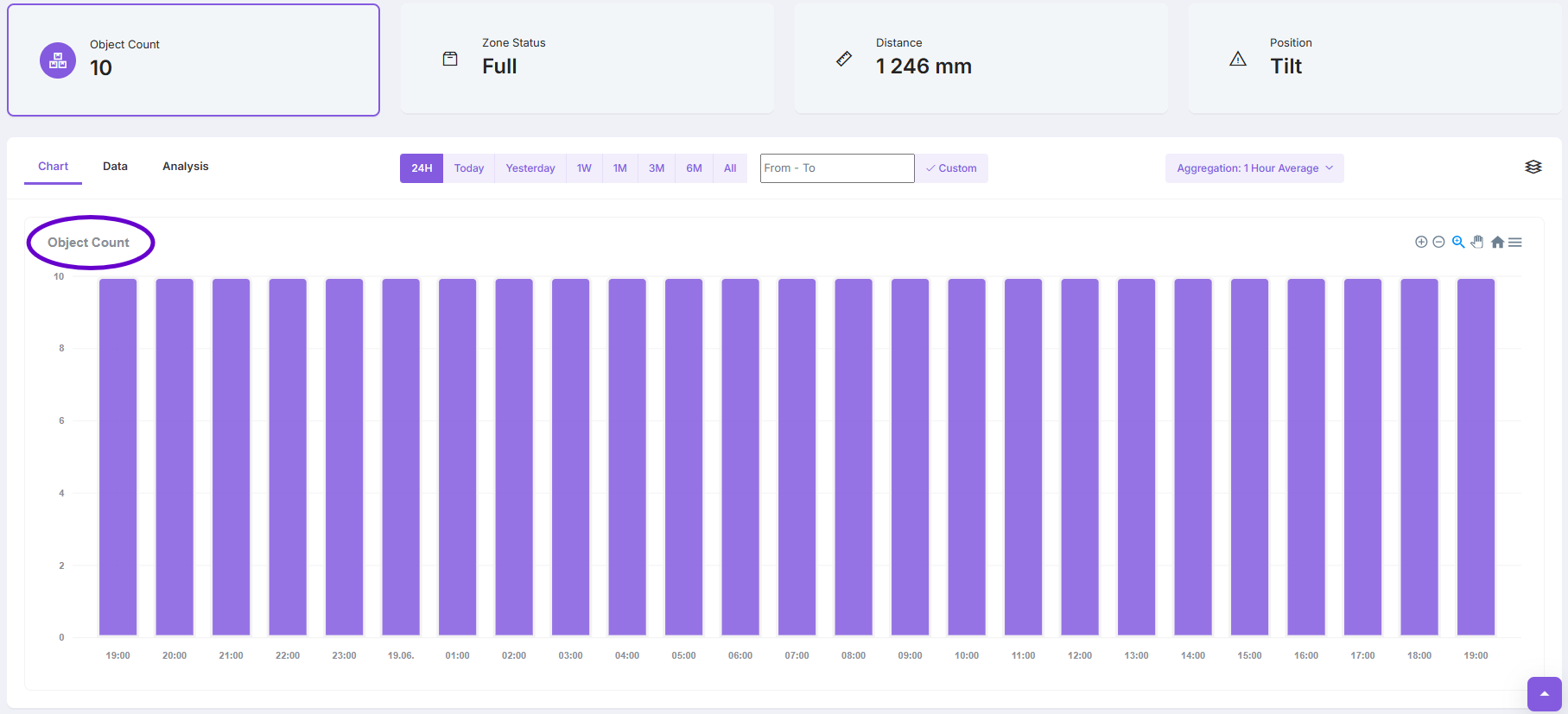
Object Counter
This feature is available for distance sensors and allows you to automatically count stacked or lined-up objects based on live measurements. It’s useful for tracking item quantities on a pallet or monitoring stock levels on shelves.
Supported sensors:
| Sensor Model | Manufacturer |
|---|---|
| LW20W00 | Enginko |
| EM310UDL | Milesight |
| EM400 MUD | Milesight |
| LDDS75 | Dragino |
| NDDS75 | Dragino |
| WS201 | Milesight |
| LDS12-LB | Dragino |
| EM400 TLD | Milesight |
Navigate to Sensor Settings
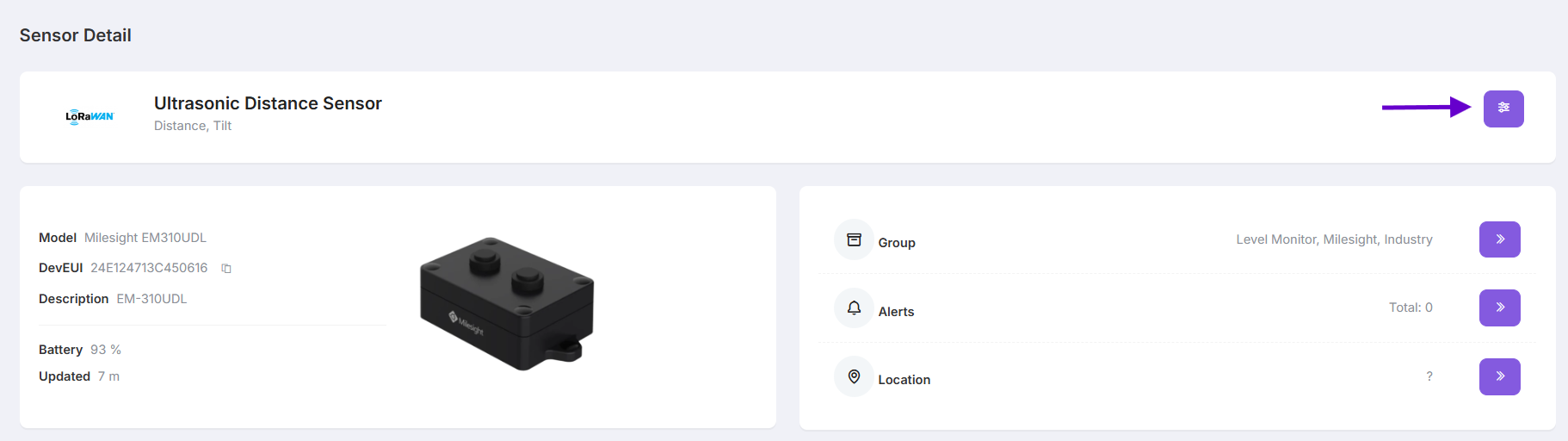
Toggle the Object Counter switch to ON
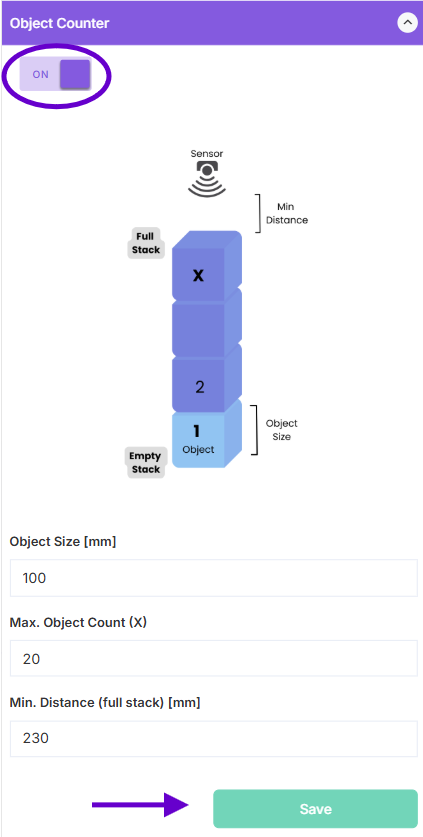
Fill in the following values:
-
Object Size (mm): height of a single object (e.g., 100)
-
Max. Object Count (X): maximum number of stacked objects (e.g., 20)
-
Min. Distance (full stack) (mm): distance from sensor to top of a full stack (e.g., 230)
Click Save
After Saving, the Object Count will be shown in the Sensor Detail view and visualized in the Chart